
Policy FAQs and Support
Member Center
The NEW NNIC Member Portal is Here!
New registration is required for ALL members including those with an online account registered prior to September 21, 2026.
Easy Self-Service
Manage your account online, whenever you need to!
24/7 member access to:
- Access your agent's contact information
- Report and track claims
- Upload claim documentation
- View and download policy documents
- View and download ID cards
- Make payments
log into your existing account
without logging in

Talk to Your Agent
Need advice or to make changes to your coverage? Contact your local servicing agent.
Your local agent is a licensed independent expert that works with you one-on-one, taking time to listen and understand your individual needs. They know it’s not all about getting the best price—it’s also about making sure your insurance coverage will come through if you ever have to use it. Find your agent’s contact information on your policy documents or on your online member account.
Contact Your Local Agent to:
- Review and update your coverage annually
- Apply discounts to your policy
- Ask questions before filing a claim
- Understand your policy details or coverage
- Update your coverage after a major life event
- Make sure home renovations and new purchases are properly insured
- Compare rates from multiple carriers
Frequently asked questions
Claims and property damage
-
You can report a claim by calling our 24/7 Claims Hotline 877-968-7252 or in your online member account. You should also let your local agent know. Their contact information can be found on your policy documents and on your online member account:
- Log into your Member Portal account.
- Click Report Claim. (On mobile first tap on three blue lines in the top left corner)
- Select what type of loss you experienced from the drop-down menu.
- Enter the date of the incident.
- Enter the time of the incident.
- Complete the form with additional information.
- Verify your contact information.
- Upload relevant files and pictures.
- Submit your claim.
- A claims adjuster will contact you within 24 business hours.
-
1. Let us know how we can help
-
Your safety is most important. Call 911 first if there are any injuries. If you have damage to your home that requires immediate attention, let us know when you report your claim.
-
We have adjusters ready in case an emergency response or temporary housing is needed.
2. Tell us about your home insurance claim
-
Report your claim by calling our 24/7 Claims Hotline: 877-968-7252.
-
You can also report your claim to your local independent agent.
-
If you have a fire loss, we will assist with fire and water mitigation.
-
If your home is unlivable, we will assist with temporary housing options.
3. We'll review the details
-
A claims specialist will be assigned to your case and will be in touch with you soon.
-
Our home claims team will review preliminary details about your claim.
-
We will determine if your loss needs to be physically inspected by our field team.
4. We'll find the best solution for your home insurance claim
-
We will confirm the facts about the loss, explain your coverages, and answer any questions.
-
Our goal is to pay you for covered losses as quickly as possible.
5. We'll pay for your covered home and property damage
-
Payment will be made to you, you and your mortgagee, or you and the contractor responsible for repairs.
-
-
1. If you need roadside help
- Our Towing and Labor Coverage has a limit of $75 per occurrence. You may use the vendor of your choosing and submit a claim with your towing receipt for reimbursement. You also may elect to remove or add this coverage from your policy by contacting your independent agent.
2. Tell us about your auto claim
- Report your claim by calling our 24/7 Claims Hotline: 877-968-7252.
- You can also report your claim to your local independent agent.
- We'll contact you for more information, photos, and accident details.
3. We'll review the details
- A claims specialist will be assigned to your claim and will be in touch with you.
- We'll confirm the facts about the accident, explain your coverages, and answer any questions you may have.
- If other cars are involved, we'll determine who was responsible for the accident.
- We'll provide you with options for obtaining the vehicle repair estimate.
4. We'll find the best solution for your car insurance claim
- If your car is repairable, we'll determine the repair costs and help you work with the repair shop of your choice.
- When rental coverage applies, we'll work with the rental car company in your area to get you in a replacement vehicle.
- If the vehicle is a total loss, we'll ask you to remove your personal items from the car before taking it to our storage facility.
5. We'll pay for your covered car damage
- Payment will be made to you, the lienholder, or your repair shop.
6. We'll pay for your covered car damage for others
- If you are responsible for the accident, we'll settle the damages owed to others involved within your policy limit.
-
Call your local insurance agent and report your claim first. Take photos/videos of damage if possible. Then, if it's safe, secure the premises or hire a professional to make temporary repairs such as boarding up windows, tarping the roof, etc., to prevent further damage. Communicate with your agent/claims adjuster for further instruction and plan to stay somewhere safe with a family member, friend, or hotel. Be sure to keep all receipts for temporary living space, gas, food, clothing, etc. Start preparing a home inventory of damaged personal property. Hold onto any damaged property until instructed otherwise by your claims adjuster.
-
Hold off on major repairs until they are approved by your claims adjuster. We recommend hiring repair reputable Virginia-licensed and certified home contractors. Don't let something too good to be true cost you. Scammers will go door to door in hard-hit areas and neighborhoods offering debris removal or roof tarping services & ask for cash upfront. More often than not, you've paid, and they do not return. Protect yourself by getting a written agreement & discuss payment options after services are complete.
-
When a tree falls and damages property, whose insurance pays? Generally, your damaged property is covered under your homeowners policy even if someone else's tree causes the damage. There may be exceptions. The best thing is for you and your neighbor to report the damage to your insurance companies and allow adjusters to review the details. Learn more.
-
Your insurance pays for damage to your property, even if the tree was rooted in your neighbor's yard. Report the damage and allow the adjusters to review the claim. Learn more.
-
Deterioration, rot, and mold are indicative of a long-term leak in your home is considered to be a maintenance issue and are not covered. Water damage that occurred on the reported date of loss can be covered. Learn more.
-
A named storm deductible, also known as a hurricane deductible, is triggered when the National Weather Service (NWS) "names" a tropical storm or hurricane, and issues a hurricane watch or warning for any part of Virginia. This does not apply to a winter-named storm. Instead of the standard deductible on a related home claim, your responsibility would be the flat-named storm deductible or a percentage deductible of coverage A on your policy. Learn more: What is a Hurricane Deductible and How Do You Know If You Have One?
-
If you have been affected by the recent severe weather, your safety is the most important thing to us. We ask that you put the first aid and welfare of your family and neighbors first and your home insurance claim second. Be very careful around any storm damage or downed power lines. Contact emergency officials and your utility company right away if needed. Remember to never drive through flooded roads and stay away from floodwater. If you have severe damage to your home or property, take the following steps:
- Shut off your home's main power or shut off your main water supply if needed. Have an electrician check the house before turning the power back on.
- Take photos and videos before making minimal temporary repairs to prevent further damage.
- If your home is unlivable, find safe shelter with a friend, family member, or hotel.
- Contact your local independent agent to start your claim.
- You may also report your claim on our 24/7 Claims Hotline (877-968-7252) or make an online claim from your online member account.
- Take wide and close-up photos and/or videos of any damage.
- Document damage to your property using a home inventory checklist.
- Keep all receipts for lodging, food, clothing, gas, and other necessities.
- Discuss specific claim questions with your agent and claims adjuster.
- If your car is flooded, call our 24/7/365 Roadside Assistance if needed (800-913-8847), take pictures, and report your comprehensive car insurance claim.
Claims, Billing & Online Account Support
We're here for you, Monday-Friday, 8 a.m.-5 p.m.
Please review the FAQs below for member support. You can also call us during regular business hours for claims support, help making a payment, assistance with your billing plan, or help managing your online account.
800-552-8660
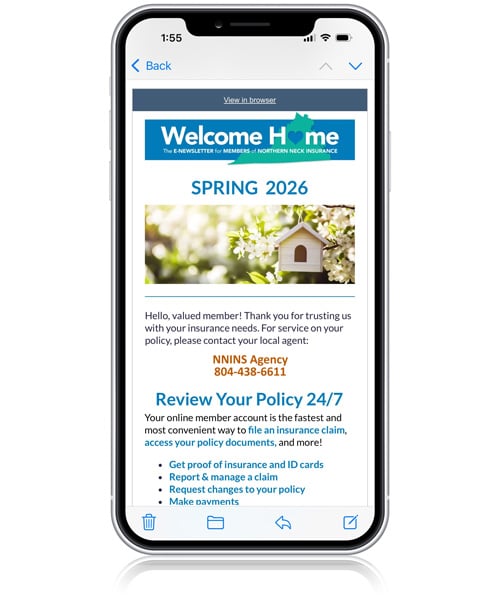
NNIC Quarterly Member Newsletter
-
NNIC launched a new member portal on September 21, 2026. Our new and improved secure registration is required for all members, including those with an online account registered prior to September 21, 2026.
If you have already registered in the new portal after September, 21, 2026, please choose Forgot Password on the screen to reset your password.
If you need online portal support, please contact us at 800-552-8660 during regular business hours, M-F 8AM - 5PM.
-
The most convenient way to report an NNIC insurance claim is through your online member account. This method will avoid hold times on our claims hotline during high volume hours. Once you have filed your claim, an adjuster will contact you within 24 business hours.
You may also report a claim by calling our 24/7 Claims Hotline 877-968-7252.
-
If you have just filed a claim, please allow 24 business hours to be contacted by a claims adjuster.
To check the status of your claim after that time, please contact us at 800-552-8660 during normal business hours and speak to your claims adjuster. You may also email us at claims@nnins.com. Please be prepared to provide your claim number. You may also call or email your NNINS adjuster directly.
-
You can change your password and multi-factor authentication (MFA) preference online within your NNIC online member account. To change to the email for your account, please contact your agent.
To change your account password or MFA preference:- Log into your member account.
- Click or tap on three horizontal lines in the upper right corner of the home page, then tap on My Account.
- Scroll to Security and change your password.
-
To find your local agents contact information, log into your NNIC online member account. Your agent's information is located on the home page of your account.
To complete a general agent search by zip code, visit our Find an Agent page.
Policy Change Requests
-
You may make a policy change by contacting your local agent. Your agent's contact information may be found on the home page of your NNIC online member account or using our agent finder.
-
Please contact your local agent to request a policy cancellation. Your agent's contact information may be found on the home page of your NNIC online member account or using our agent finder.
Policy Documents
-
To access your proof of insurance in your NNIC online member account:
- Log into your member account.
- Tap on Policies.
- Scroll to your auto policy and tap on Documents under Policy Activities.
-
Virginia is a state that allows electronic proof of insurance via smartphone. This permits drivers to show an electronic copy of their car insurance card on a mobile device during a traffic stop.
- Log into your member account.
- Tap on Policies.
- Scroll to your auto policy and tap on ID Cards under Policy Activities.
Payments
-
You may pay your insurance bill for any policy by logging into your member account.
- Log into your Member Account.
- Select Policies from the dashboard.
- Under Renewal Invoices Payment Due, select the policy number for payment.
- Select Enter New ACH Details for bank draft method or Enter New Payment Method for debit/credit card payments.
- Enter your secure payment information and process your payment.
A 2.99% processing fee is charged by our payment vendor, One Inc. for any payment method other than ACH bank account drafts.
Gift cards and other prepaid cards are not accepted.
-
Payment methods through your online member portal account include:
-
Checking or savings bank account payments (ACH) Bank account draft payments do not have a fee.
-
Credit or Debit Card (Visa, Mastercard, Discover, or American Express) A 2.99% processing fee applies to credit and debit card payments and is charged by our payment vendor, One Inc.
-
Gift cards and other prepaid cards are not accepted.
-
-
Yes, you can sign up automatic payments with your bank account, debit or credit card by calling your local agent or our billing team at 800-552-8660.
Options for automated payments are Annual Full-Payment, 2-Payment, 4-Payment or Monthly.
-
You can not change your payment schedule online at this time. Please contact your local agent listed on the home page of your online account or your policy documents.
To see your payment history or make a payment online in your member account:
- Log into your member account.
- Under the Billing section of the home screen, click on the policy number to see payment history or to make a payment.
-
Yes, to make a payment without logging into your online member account, you can use our automated phone payment system or use the Quick Pay button on our Member Center page.
Available automated phone system payment methods include:
- Bank Account (ACH)
- Credit or Debit Card (Visa, Mastercard, Discover, or American Express)
Available QUICK PAY payment methods include:
- PayPal
- Venmo
- Apple Pay
- Google Pay
- Bank Account (ACH)
- Credit or Debit Card (Visa, Mastercard, Discover, or American Express)
A 2.99% processing fee is charged by our payment vendor, One Inc. for any payment method other than ACH bank account drafts.
Gift cards and other prepaid cards are not accepted.
-
You are not able to make a payment on a canceled policy at this time. Please contact your local agent do discuss your options.
Still have questions?
If you have a question, please use the form below and we will get back to you within one business day.
Please note: If you are a Northern Neck Insurance member and want to make changes to your policy, you must contact your agent. Policy changes cannot be made or bound by email or through this form. Thank you for your patience.
Contact Us

Summer Member Newsletter: Smart Water Sensor Alarm Winner!
Billy E. of Thaxton - a Northern Neck Insurance member for over 10 years!